Everything the crew and the office need.
Fabrum covers a subcontractor's paperwork, from the first quote to the last ITP. Here's what's in it today.
For the crew
- See where they're working today and this week
- Clock in to the job and the task
- Write day dockets and get them signed on the spot
- Work through ITPs with photos and videos
- Open the current drawings
- Request leave, report a sick day and do inductions
For the office
- Build the crew schedule for the week
- Approve leave, check hours and export payroll
- Quote jobs, and turn an awarded quote into a project
- Track budgets, variations and expenses
- Keep inductions, white cards and licences current
- Run the site diary, tasks and team chat
Day dockets
Get extra work signed on the day, and in front of accounts before anyone forgets it happened.
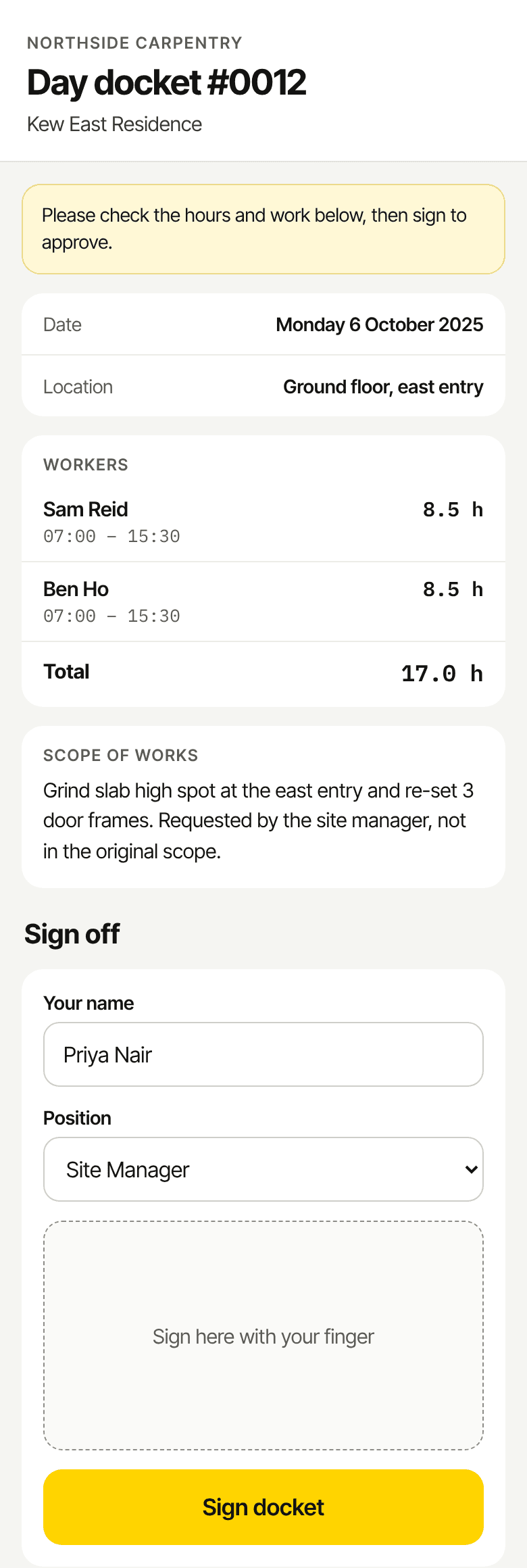
Signed on site
The site manager signs on your phone or iPad with their finger, and adds their name and position.
Signing links
Or send a link instead. It works once, so nobody can sign an old version from an old email.
Straight to accounts
Email the signed PDF to your accounts inbox in one tap.
Fix it properly
Admins can unlock a signed docket, correct it and get it signed again. The signed version is kept.
No double billing
A re-sent docket is marked Amended and names the copy it replaces.
Hours that add up
Worked out from each person's start and finish, rounded to the nearest 15 minutes.
ITPs
Inspection and test plans filled in as the work goes in, with the evidence attached.
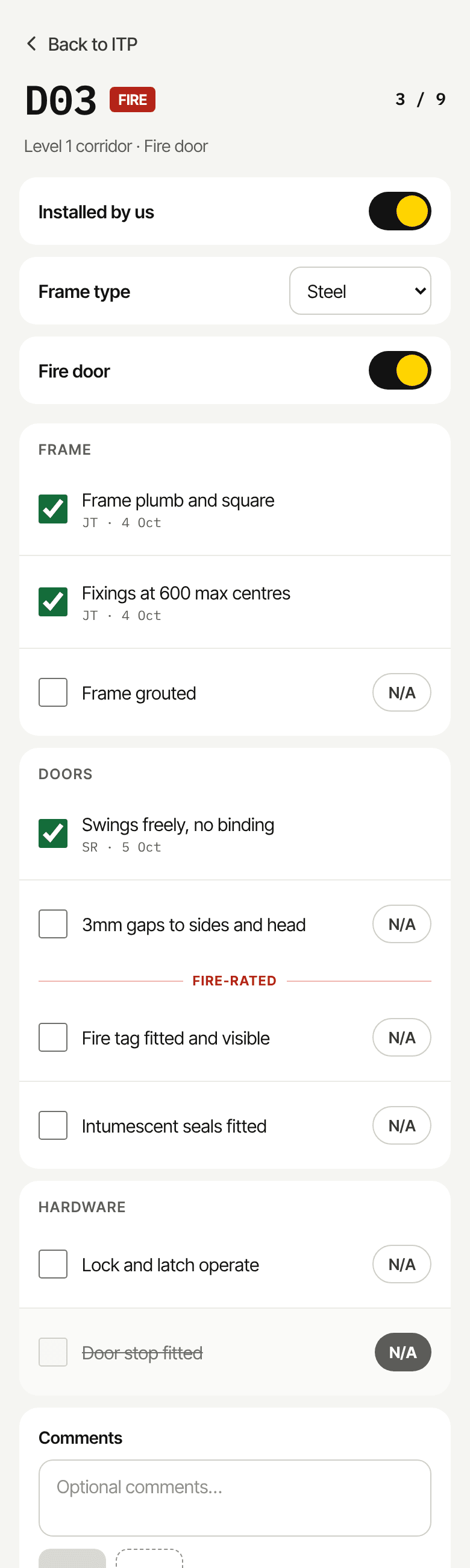
Unit by unit
Check each door, room or unit by level and area, with extra checks only where they apply.
Item checklists
Pass, fail or N/A on each item, with comments and general notes.
Photos and videos
Up to 20 on every item, taken in the app.
Staged reports
Export what's done so far as a staged ITP report for each progress claim, photos and videos included.
Your own templates
Build templates with your own checks and fields, and rules for when each check applies.
Sign off when it's done
Sign and complete the ITP once every item has been inspected.
Time and schedule
The office plans the week. The crew clock in against it, and the hours land where payroll can use them.
Crew schedule
Plan the week by person or by project, then copy it forward.
On site or in the factory
Mark prefab work as factory time while it stays costed to the real job.
Clock in per task
Time is recorded against the project and the task, ready for budget tracking.
Overtime with a reason
Starting after hours asks what the overtime is for before the clock starts.
Roll-call
One notification after start time with who's clocked in and who's missing, and another after close.
End-of-day summary
The crew record what got finished each day, so production reports show real output.
Leave
Leave requests in the app instead of a text message, and straight into payroll once they're approved.
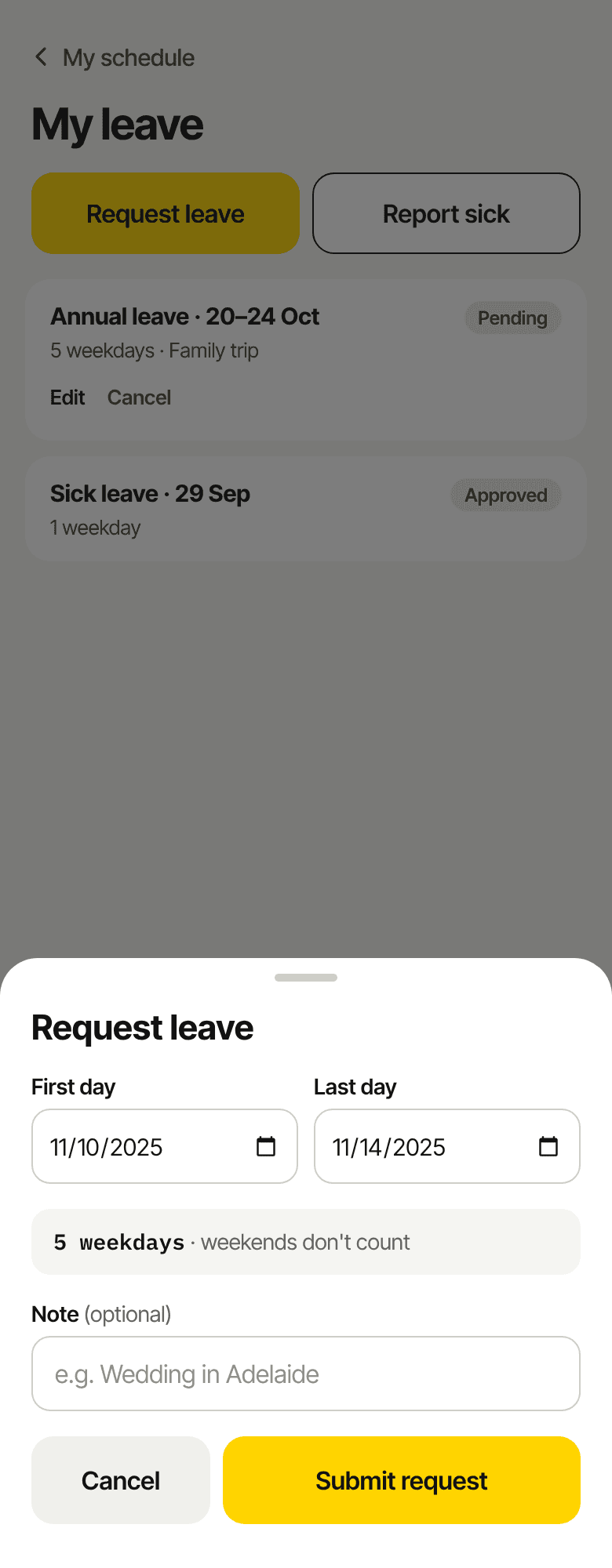
Request leave
Pick the first and last day on the phone. Weekends don't count.
Report a sick day
From the app, without a phone call to the office.
Approve in one place
Approve or decline requests, and edit or cancel leave if plans change.
Into payroll
Approved leave and sick days go into time reports and the payroll CSV.
No double-booking
People on approved leave can't be put on the schedule.
Drawings and documents
The current drawing on every device, and a clear warning when someone has an old one open.
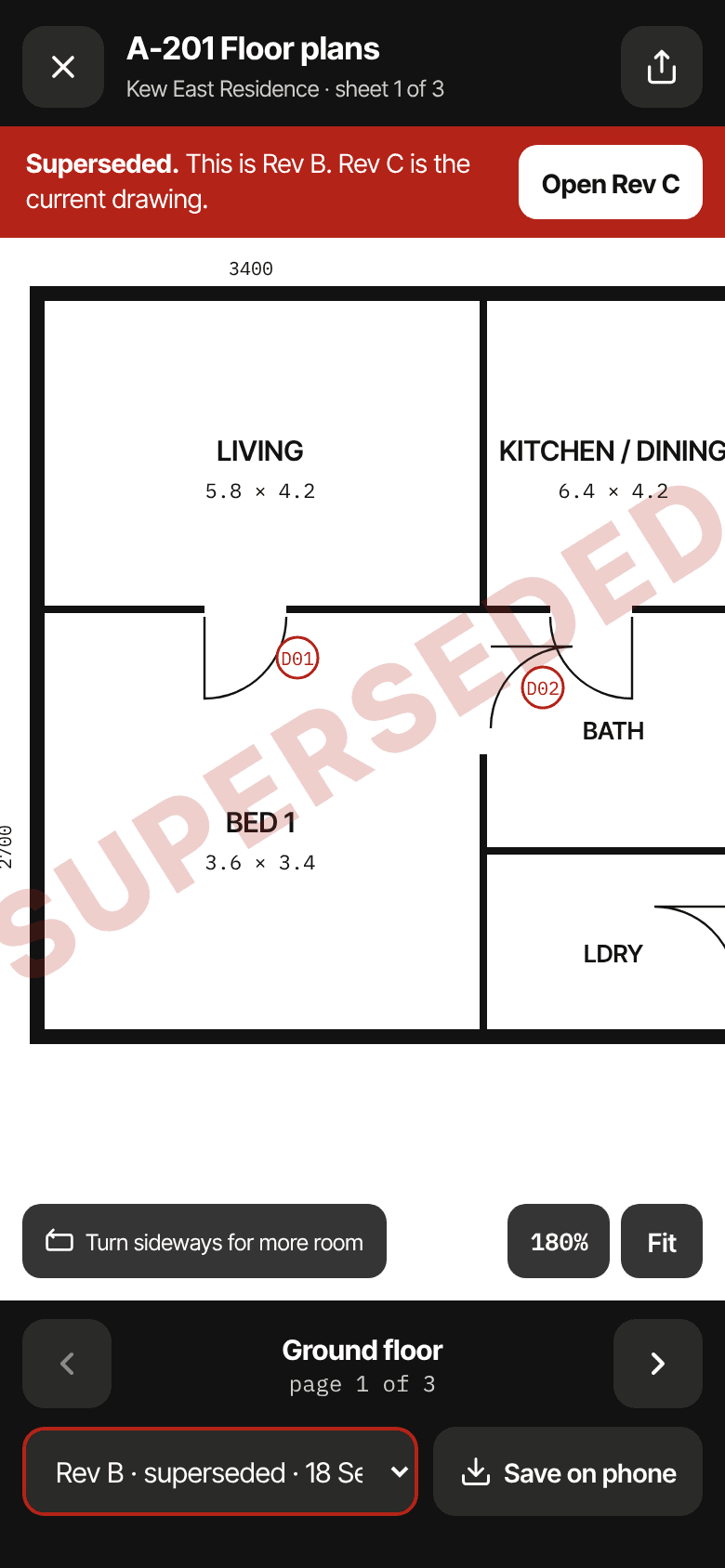
Full-screen viewer
PDFs and photos open inside the app, with sharp linework at any zoom.
Revisions
Switch revisions in a tap. Old ones are stamped Superseded, with a button to the current one.
Big sets
Upload drawing sets up to 250MB, or lots of files at once.
Made for each screen
Arrows on a phone, page thumbnails on an iPad, and a searchable sheet list on a computer.
Private links
Files only open for people who are logged in and on the project.
Patchy reception
Big sets load in pieces and keep retrying through dead spots.
People and inductions
Know who's inducted, who's licensed and whose white card runs out next month.
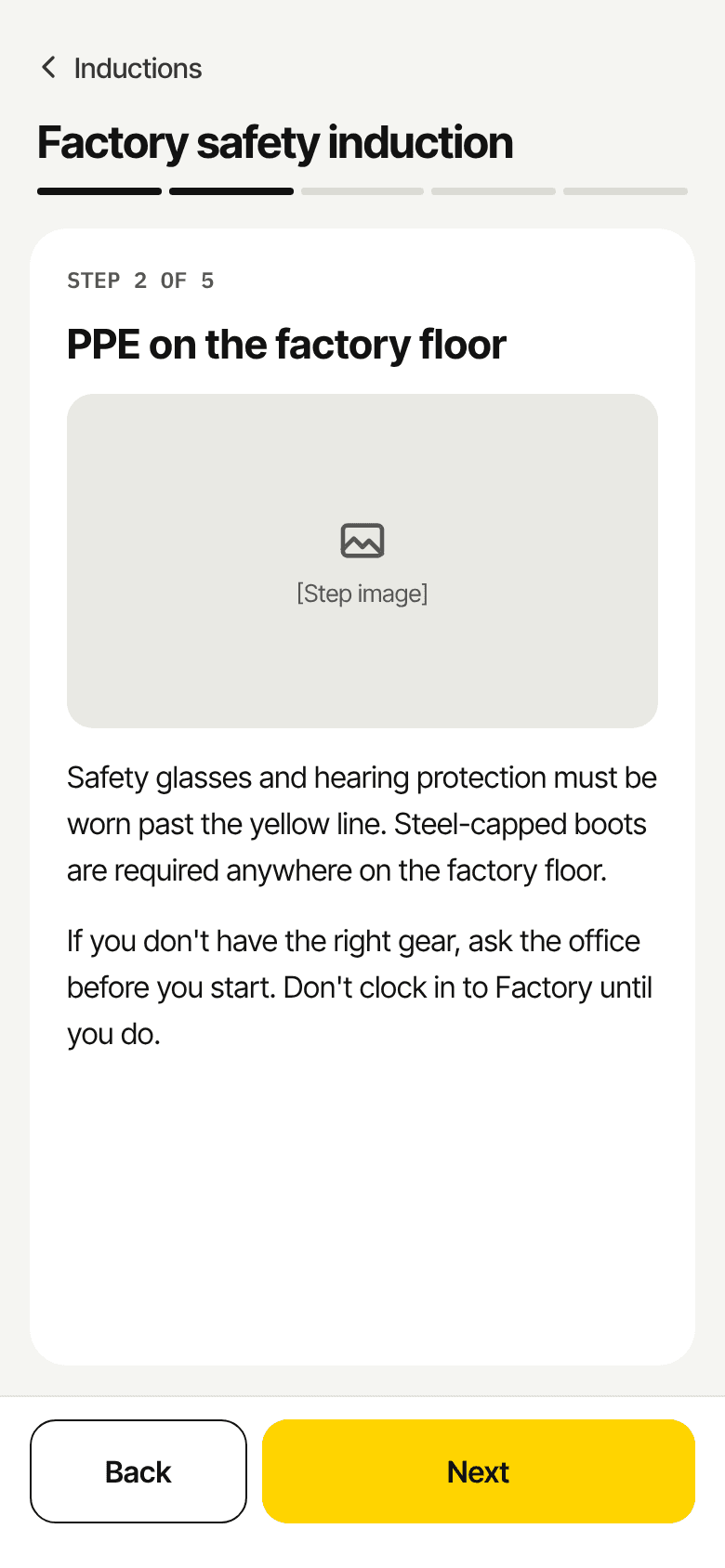
Company inductions
Step-by-step inductions with text and images, done on the phone.
Induction register
See who's current, who's out of date and who hasn't done it.
Required before work
Make an induction compulsory before anyone can clock in to the factory.
Licences and white cards
Upload cards, insurance and licences with expiry dates. Reminders go out 30 days before.
Team profiles
Contact details, emergency contacts and vehicle details in one place.
Roles
Owners, admins, crew and contractors each see what they need, and nothing they don't.
Quotes
Price the job, send a proper quote, chase it, and start the project the moment it's won.
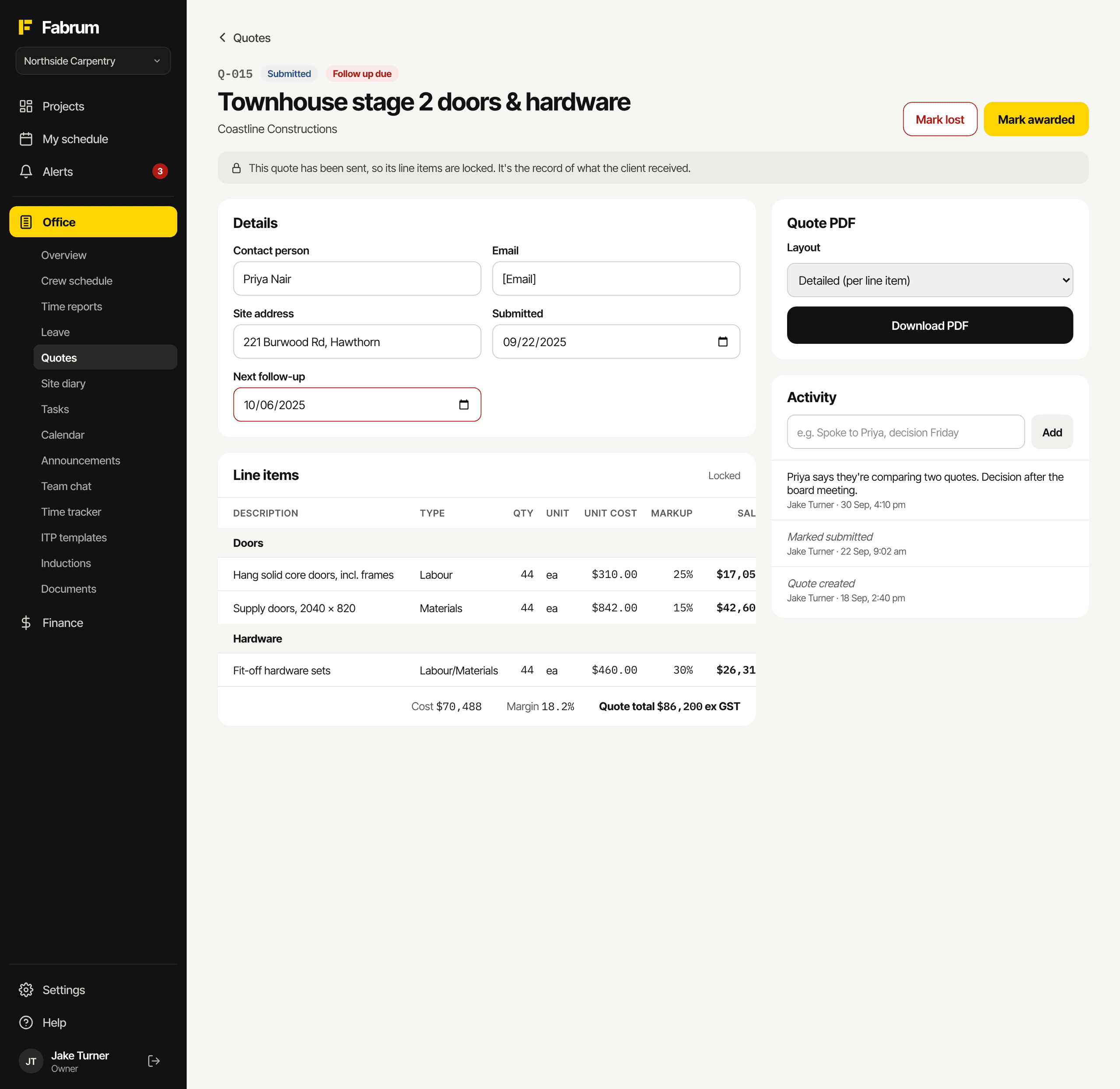
Quote pipeline
Draft, submitted, awarded or lost, with a log of every call and status change.
Client-ready PDFs
On your letterhead, as section totals or full line detail. Costs and markup never leave the office.
Follow-up reminders
Set the next follow-up date and get a notification that morning.
Won? Start the job
Mark a quote awarded and the project is set up in one step.
Budgets and variations
See whether a job is making money while there's still time to do something about it.
Excel import
Fill in the template in Excel and load a whole budget at once.
True margin
Labour is costed at what it really costs you, so the margin you see is real.
Tracked tasks
Choose the budget sections the crew clock in against, and see the hours used.
Variations
Every variation on every job in one list, with sale, cost and profit.
Expenses
Record expenses against the job they belong to.
Reports
How each project is tracking against its budget.
Office tools
The day-to-day running of the business, in the same place as the jobs.
Site diary
A daily record for each job, with checklists, printable as a PDF.
Notes and to-dos
Project notes with checklists, and a to-do list you can paste a list straight into.
Tasks
Office tasks with assignees, due dates and quick add.
Calendar and announcements
A company calendar, and pinned announcements for things like toolbox talks.
Team chat
Chat for the office team, with @mentions.
Notifications
Push notifications to the phone, and each person chooses what they get.
Be one of the first crews on Fabrum.
Register for early access. Founding crews get the beta first, a say in what we build next, and a rate that's locked in.